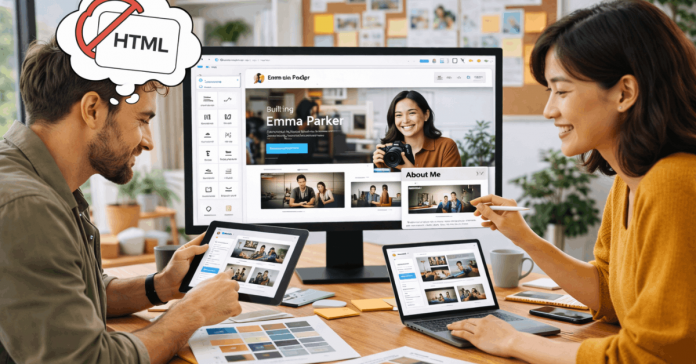
Learning to code isn’t the only way to launch a website or digital service anymore. How to build online projects without coding is now a question with dozens of simple, fast answers.
No-code tools let you turn ideas into functioning websites, apps, and systems without technical expertise. This article introduces the best platforms to help you move fast and launch smart.
Website Builders for Simple Projects
You don’t need code to launch a clean, responsive site. These platforms do most of the work for you.

Wix
Wix is a beginner-friendly builder with drag-and-drop simplicity. It offers hundreds of templates for business sites, portfolios, or landing pages.
AI-powered design tools can even generate layouts based on questions you answer. Its App Market also helps you expand with forms, bookings, and integrations.
Squarespace
Squarespace is ideal for design-focused users. You get polished templates, built-in SEO settings, and e-commerce capabilities.
It’s best for small businesses, bloggers, and creatives who need a slick online presence. Editing is simple, but more structured compared to Wix.
Carrd
Carrd is perfect for one-page sites or simple project launches. It’s lightweight and fast, yet powerful enough for email forms, embeds, and even payments.
Free plans are great for testing ideas, and paid upgrades unlock useful features. It’s ideal if you want to validate something before investing more.
Build Functional Apps Without Code
No-code app builders help you go beyond static websites. These tools allow for interactivity and logic with no development background.
Glide
Glide turns Google Sheets into mobile apps. It’s a fast way to build simple tools like directories, trackers, or internal dashboards.
The spreadsheet becomes your database, and the interface updates automatically. It works best for mobile-first or MVP-stage apps.
Adalo
Adalo focuses on mobile and web apps with more flexibility. You can set custom logic, relationships between data, and user authentication.
The visual editor works like a flowchart, making complex logic easier to handle. Use it to create marketplaces, learning apps, or booking tools.
Softr
Softr uses Airtable as a backend and helps you build client portals, internal tools, and communities. You choose from pre-built blocks, so layouts are simple and clean.
It’s more suitable for structured data and user-facing dashboards. You don’t need design skills to get results.
Create Automations to Save Time
You don’t always need an app or site. Sometimes, you just need tasks handled in the background.
Zapier
Zapier is the go-to no-code tool for automating workflows. You connect two or more apps, and create “Zaps” that perform tasks when triggered.
It works with Gmail, Slack, Google Drive, and thousands more. Automate reminders, data entry, or lead collection easily.
Make (formerly Integromat)
Make gives you more control than Zapier for multi-step flows. It visualizes logic with branches, filters, and loops.
Use it when your workflow is more complex or involves large data transfers. It integrates with databases and even custom APIs.
IFTTT
IFTTT is great for simple personal automations. You can trigger actions like saving email attachments to Dropbox or muting your phone during meetings. It’s ideal for solo users, smart home fans, or those just starting with automations.
Manage Content Without a Developer
These platforms help you control content and layouts without editing raw code.
Webflow
Webflow bridges the gap between design and development. It gives you full control over layout, interactions, and CMS functions.
Though it has a learning curve, it’s worth it for long-term flexibility. Use it when you want to scale or need more than drag-and-drop.
Typedream
Typedream is like Notion for websites. It’s intuitive, fast, and lets you build clean websites with simple links, embeds, and databases.
You can publish updates quickly, and collaboration is smooth. It’s great for startup landing pages and internal documentation.
Notion + Super
Use Notion to write, plan, and manage info. Then use Super to turn your Notion page into a live website with custom domains and styling.
This combo is excellent for personal sites, resumes, or knowledge bases. You update the Notion doc, and the site reflects changes instantly.

Tools by Purpose and Use Case
Different goals require different tools. Here’s how to match tools with your project type.
Visual Website Builders
Use Wix, Squarespace, or Webflow when you need visual control and responsiveness. These tools work best for brand sites, portfolios, and product showcases.
You get custom domains, SEO controls, and fast publishing. Choose Webflow if you expect to scale or need CMS features.
Internal Tools and Client Dashboards
Pick Softr, Glide, or Notion + Super for internal documentation, user dashboards, or live databases. You can link to spreadsheets and manage access control.
These tools shine in collaborative environments and fast iteration. Use them if you need to keep things updated easily.
App Builders for MVPs
Try Adalo or Glide when you need a mobile-first app or prototype. These platforms let you test functionality, gather users, and scale later.
Glide is easier, Adalo is more flexible. Add user logins, dynamic lists, and logic-based interactions.
When to Start Using No-Code Tools?
Not every idea needs code. These signs suggest it’s time to try no-code platforms.
- You want to test an idea quickly without hiring a developer.
- You need to update content regularly, but don’t want to touch HTML or CSS.
- You plan to create a tool for internal use within your team or business.
- You’re managing data from spreadsheets, forms, or CRMs.
- You want to automate simple tasks like sending emails or syncing tools.
All these cases benefit from starting with platforms designed to simplify.
Launch Projects Faster and Smarter
There are more options than ever to create without writing code. How to build online projects without coding is no longer a barrier, but a starting point.
No-code platforms let you focus on your idea, not syntax. You don’t need to be a developer—you just need the right tools and a clear goal.
Wix, Glide, Webflow, Zapier, and others are just a starting point. Choose based on your goal, your experience level, and how fast you want to launch.