A beginner website template should help you publish a clean site without forcing you to learn code first. It is useful for students, freelancers, small business owners, bloggers, and creators who need a simple starting point.
The template should make setup easier, but it should not lock you into a design you cannot edit later. This guide explains what to look for, what to avoid, and how to choose a starter template that fits your first real project.
What Beginner Templates Should Actually Do
A beginner template is more than a pre-made design. It gives you a working structure for pages, navigation, spacing, and calls to action.
The Layout Should Reduce Setup Pressure
A good template includes a homepage, about section, contact area, and a few ready-made content blocks.
For example, Wix templates can help beginners who want drag-and-drop editing and clear page sections.
WordPress.com themes may suit bloggers who need article layouts. The right template should make the build feel manageable, not crowded with features you do not understand.
Start With the Site’s Purpose
Before browsing templates, decide what the site needs to do. A portfolio, blog, resume, small business site, and product page each need a different structure.
Match the Template to Your Content
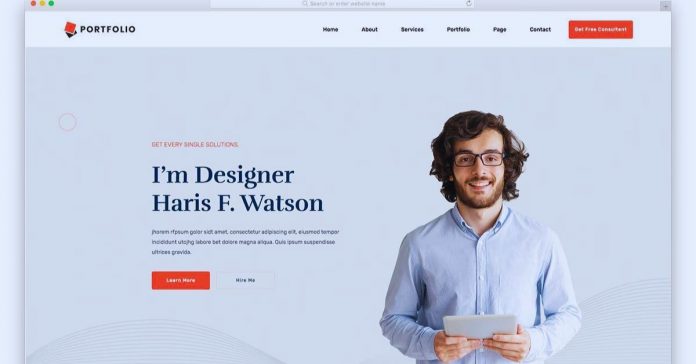
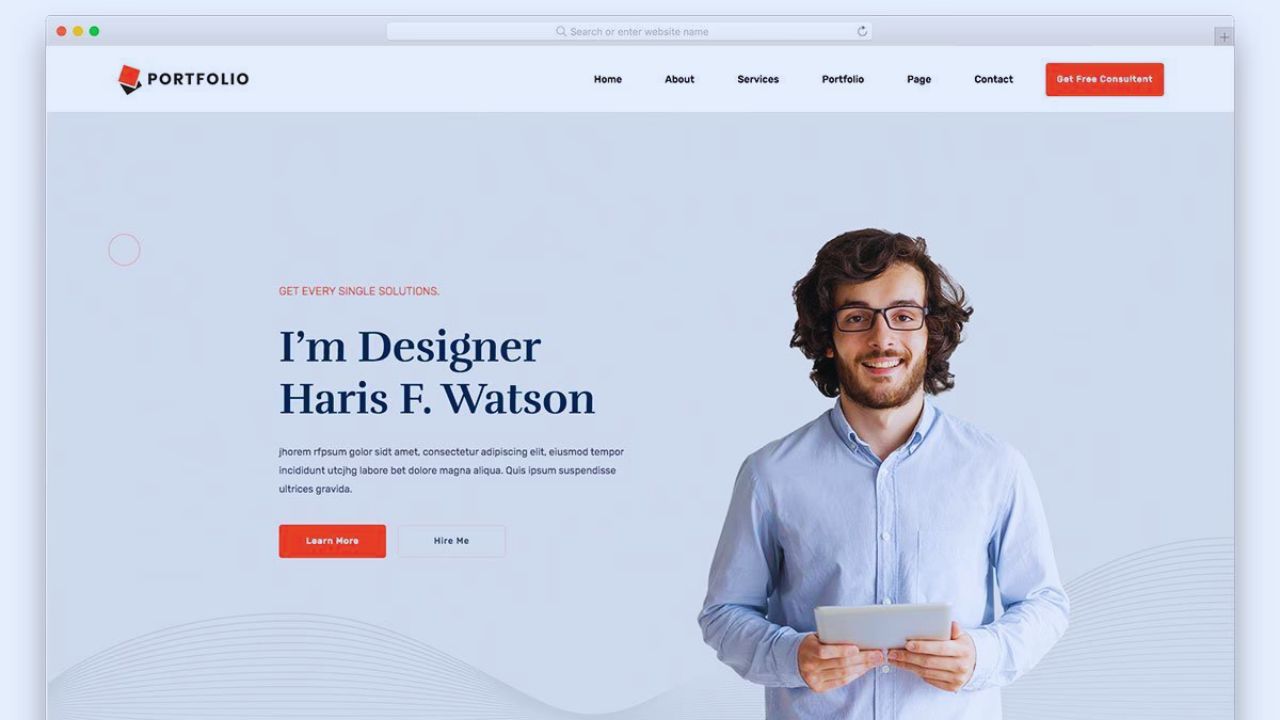
If you are creating a portfolio, look for image galleries, project pages, and a short bio section. A blog needs readable article pages, category navigation, and space for recent posts.
A small business site should make services, location, contact details, and reviews easy to find. Choosing by content type prevents you from forcing your information into the wrong layout.
Keep the Feature List Simple
Many beginner templates advertise dozens of sections, effects, and integrations. More features can look helpful, but they often make editing harder.
Basic Controls Matter Most
Beginners usually need simple controls for text, photos, colors, fonts, menus, and buttons. A template with too many animations, sliders, pop-ups, and layout variations can become confusing.
The safest choice is often a clean design with fewer options and clearer editing steps. Good starter templates focus on easy customization, not overwhelming control.
Check the Mobile Version Early
Many people will view your first website on a phone. A template that looks good on desktop may still feel awkward on mobile.
Tap Through the Demo Yourself
Open the template preview on your phone before choosing it. Check whether the menu opens smoothly, text is easy to read, buttons are large enough, and images do not crop strangely.
A resume template, for example, should keep contact details visible without forcing visitors to zoom. Mobile testing protects the user experience before you spend time customizing.
Free Templates Can Be Enough
A free template can be a smart choice when you are learning, testing an idea, or building a personal project. It keeps the first version affordable.
Know the Limits Before Publishing
Free templates may include platform branding, fewer layout choices, limited support, or basic customization.
That may be fine for a school project, hobby blog, or simple personal profile. It may be less suitable for a business website that needs polished branding and reliable support.
Before using one, check the license terms, update history, and whether commercial use is allowed.
Paid Templates Are Not Always Necessary
Paid templates can offer more layouts, support, and professional styling. Still, paying does not automatically mean the template is better for beginners.
Pay Only for Useful Extras
A paid template may be worth it if it includes booking sections, product pages, stronger support, or layouts that match your content closely.
Squarespace templates, for example, can be useful for visual portfolios and service websites because the design system stays fairly controlled.
But if you only need a one-page personal site, a paid option may add cost without solving a real problem. Choose based on actual needs, not just polish.
Replace Demo Content Quickly
A common beginner mistake is leaving too much of the sample design unchanged. This makes the site feel unfinished, even if the template itself is attractive.
Make the Site Feel Like Yours
Replace placeholder headlines, stock photos, fake testimonials, generic icons, and sample service descriptions. Add your own photos when possible, or choose images that genuinely match the topic.
Rewrite buttons so they explain the action, such as “View My Work” or “Send a Message.” These small edits make the finished site feel more trustworthy.
Avoid Adding Too Much Too Soon
New site owners often install extra widgets, animations, plug-ins, or sections because the editor makes it possible. That can make the site slower and harder to manage.
Keep the First Version Lean
Start with the pages visitors actually need: home, about, contact, and one content-focused page if necessary.
Remove sections that do not support the purpose of the site. A beginner blog does not need a shop, pop-up, gallery, and newsletter box on day one. A lean site is easier to edit, test, and improve later.
Use this short check before publishing:
- Readable mobile view
- Clear navigation
- Real content
- Working contact form
Review Speed and Basic SEO
A beginner template should not require advanced optimization to work decently. It should load smoothly and support basic search settings.
Simple Structure Helps Later
Look for templates with clean headings, readable fonts, image alt text options, and page title controls. Avoid templates that rely heavily on large video backgrounds or too many effects.
A slow first site can frustrate visitors before they read your content. Basic SEO settings and good speed give the site a stronger starting point.
Also Read: How to Choose No-Code Tools for Long-Term Use
Choose a Platform You Can Keep Using
The template matters, but the platform behind it matters too. You should feel comfortable editing the site after it goes live.
Editing Comfort Beats Fancy Design
If changing a photo, heading, or button feels confusing during the demo, it may become more frustrating later.
Beginners often do better with platforms that offer clear editing, help articles, and simple previews.
WordPress.com, Wix, and Squarespace each suit different users, so test the editor before committing. The best choice is the one you can maintain confidently.
Conclusion: Start Simple and Improve Later
A beginner website template should help you launch without making the process feel technical or messy.
Start with your site purpose, test the mobile version, replace demo content, and avoid features you do not need yet. Free templates can work for learning, while paid ones may help when support, branding, or extra sections truly matter.
A good website template gives you a clear first version that you can edit, improve, and grow with over time.