

Choosing a website template is a critical step in launching any online project. The difference between free and paid website templates often confuses beginners and experienced users alike.
Each option has unique strengths and limitations depending on your goals. This article explores both choices so you can make an informed decision.
Understanding Website Templates?
Templates are pre-designed website layouts that simplify the building process. They control how content appears, from text blocks to image placement.
Templates are widely used in website builders, CMS platforms, and HTML frameworks. You don’t need to start from scratch when you use them.
Whether you’re creating a blog or an online store, the right template can streamline your project.
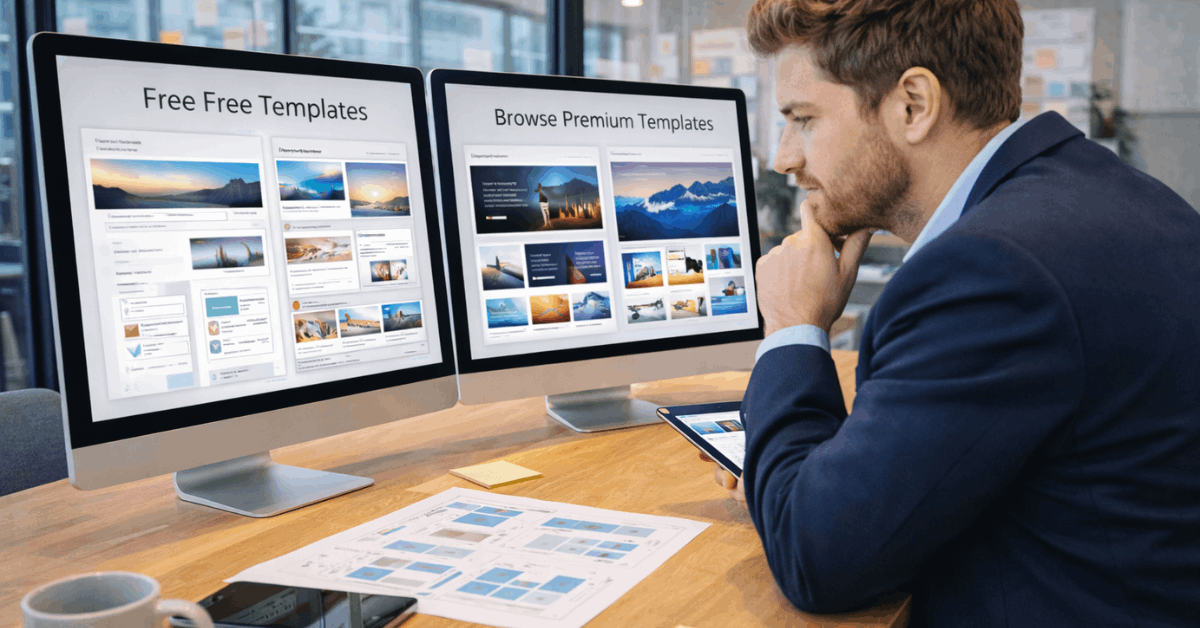
What Are Free Website Templates?
Free templates offer basic functionality and are widely accessible. They’re found on open-source sites, builder platforms like Wix, and community forums.
Most include core layout features and work well for small projects. However, some may have limited customization or outdated code. Free templates usually come with limited support and infrequent updates.
What Are Paid Website Templates?
Paid templates are premium options developed with more advanced features. They’re often sold on marketplaces like ThemeForest or Webflow‘s template shop. These templates typically include responsive design, SEO optimization, and cleaner code.
Paid versions may also bundle tools like sliders, contact forms, or e-commerce layouts. Support and documentation are commonly included, making them ideal for business use.
Key Differences Between Free and Paid
Both free and paid templates serve specific user needs. While free templates work for simple or personal websites, paid ones are more suitable for commercial or scalable projects.
The core differences lie in design quality, update frequency, and support access. Thousands might reuse free templates, while paid options tend to be more unique.
Paid templates also allow deeper integration with plugins and advanced features.
When to Choose Free Templates?
Free templates are useful for short-term or entry-level projects. If you’re launching a portfolio or testing a concept, free options reduce upfront costs. They’re a good fit for students or small community sites with minimal functionality.
But if you plan to grow your project long-term, limitations may arise. Always review licensing to ensure your free template allows commercial use.
When Paid Templates Make Sense?
A premium template is worth the cost when professionalism is key. If you’re building a brand, running a business, or offering services, quality design matters.
Paid templates give you cleaner layouts and more control over branding. They’re often built for performance, speed, and SEO. You also receive access to help if you encounter technical issues.
Use Case Scenarios for Each Option
The choice between free and paid depends on your website’s purpose. Consider how complex your project will be and how often you’ll update it.
Personal Blogs or Portfolios
Free templates are ideal for showcasing simple content. They help you launch quickly with no upfront investment. Use them when visual uniqueness is not a top priority.
Small Business or Service Sites
Paid templates give you credibility and design flexibility. Features like contact forms, testimonials, and optimized mobile layout come built in. They’re better for long-term growth and customer trust.
E-commerce and Online Stores
Always invest in a premium template when selling products. Paid templates often support payment integrations, product galleries, and fast page load times. You’ll avoid costly redesigns later.
Where to Find Free Templates
Many reputable platforms offer free templates. WordPress.org has a large directory with themes for blogs, shops, and more. HTML5 UP and Colorlib also provide visually clean, responsive designs.
Website builders like Weebly include free themes inside their platforms. Most allow drag-and-drop editing but may restrict code access.
Where to Buy Paid Templates?
Marketplaces like ThemeForest offer thousands of paid templates across categories. You can also browse Webflow, TemplateMonster, or Creative Market.
Paid themes from providers like Kadence WP or StudioPress focus on performance and clean design. Some builders offer exclusive premium options within their platforms. Prices usually range from $20 to $100 for a single license.
Things to Watch Out for in Free Templates
Some free templates come with drawbacks hidden behind the simplicity. Always check the code quality and licensing terms before publishing.
Key Risks in Free Templates
Choosing a trusted source helps avoid these issues.
- Lack of Updates: Many free templates are abandoned and never improved.
- Poor Code: Inefficient or outdated HTML/CSS can hurt performance.
- No Support: You’re on your own if bugs appear.
- Limited Compatibility: May not work well with plugins or builders.
How to Evaluate Template Quality?
A good template should balance design, usability, and performance. Whether free or paid, check for mobile responsiveness and compatibility with your platform.
Read user reviews and view live demos when available. If it’s a paid theme, look for changelogs and version updates. A well-documented template saves time during setup and maintenance.

Support, Licensing, and Ownership
Paid templates usually come with clear licensing and usage rights. You’ll also receive technical support for a fixed time, often 6 to 12 months. Some templates allow multiple site use; others restrict to a single domain.
Free templates often require attribution or include limited rights. Always read the terms to ensure compliance with your goals.
Template Customization and Scalability
Customization options vary widely between template types. Free templates often allow minor adjustments like color or fonts. Paid templates provide flexible layout controls, extra sections, and better integration with page builders.
If you plan to expand your website later, scalability becomes essential. Choosing a template that can evolve saves future hassle.
Expert Tips for Making the Right Choice
If you’re stuck between template options, focus on what really matters. Think about your goals, timeline, and skill level.
- Evaluate your experience level: Beginners should use drag-and-drop builders. Advanced users can choose CMS or HTML templates.
- Prioritize your available time: Use templates with starter layouts to save time. These options reduce setup and let you focus on content.
- Factor in budget and project length: Free templates work for short-term use. Paid ones are better for business or long-term goals.
- Clarify your content strategy: Know what your site should do before choosing. Match your template to that goal for best results.
Final Thoughts: Picking the Right Template for You
Choosing between free and paid website templates depends on your goals, budget, and timeline. Free templates are useful for testing ideas and launching personal projects.
Paid options bring long-term value, design freedom, and professional polish. Make your decision based on performance, licensing, and how much customization you’ll need.











