No-code tools help you build digital products without writing a single line of code. You’ll learn what no-code tools are and how they work by looking at real platforms: Webflow, Softr, and Glide.
Each one helps you solve a different type of problem with minimal setup and fast results. This article gives you the core details you need to start using them.
The Basics of No-Code Platforms
No-code means you don’t need technical skills to build functional apps, sites, or tools. These platforms give you a visual way to structure logic and content.
Key Functions Across All Tools
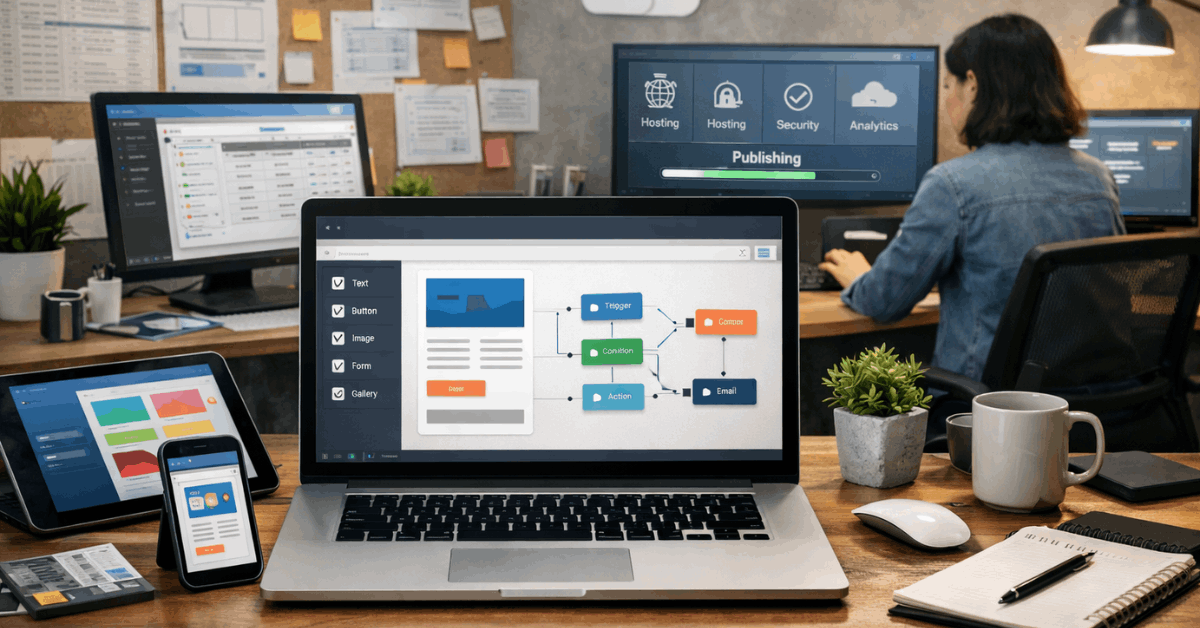
Every no-code platform includes some form of visual editor. You drag elements, manage data, and control behavior through clean interfaces.
Hosting, publishing, and security are also usually built in. This removes the need to connect multiple services to launch a working product.
Why No-Code Works for Non-Developers?
You don’t have to hire a dev team or learn syntax. No-code lets founders, freelancers, and operations teams test ideas quickly.
These tools turn spreadsheets, content, and images into usable products. Most no-code apps can scale surprisingly far before you outgrow them.
Webflow: Control Design Without Code
Webflow gives you near-complete control over design, layout, and responsiveness. It’s ideal for designers who want production-ready websites.
Layout and Logic in Webflow
Webflow mimics how HTML and CSS work under the hood. You build visually using containers, divs, and flex layouts.
The result is clean code output that you don’t need to touch. It also offers a CMS to manage dynamic content like blog posts or team pages.
Ideal Use Cases for Webflow
This tool is best for portfolios, landing pages, and marketing websites. You can add interactions and animations without JavaScript.
Designers often use it for client work, then export clean code if needed. The interface takes time to learn, but you get full visual freedom.
Softr: Build Web Apps from Airtable or Google Sheets
Softr is built for fast delivery of client portals, internal tools, and resource directories. You don’t need to know how databases work to get started.
How Softr Uses Data?
Softr connects directly to Airtable or Google Sheets as a backend. You structure pages using ready-made blocks and components.
Filtering, login, user roles, and payments are all built in. The app pulls data live from your source, so your content stays current.
What Projects Work Best in Softr?
It shines for B2B portals, simple SaaS MVPs, and dashboards. People use it to manage teams, share internal resources, or launch paid memberships.
If your workflow already runs through spreadsheets, you’ll get value immediately. The app feels more like a website builder with smart logic added.
Glide: Fast Apps from Spreadsheets
Glide is the fastest way to turn a spreadsheet into a web or mobile app. It’s clean, fast, and focused on function over form.
How Glide Builds from Data?
You import Google Sheets or Excel files, and Glide builds an app interface instantly. Each row becomes a data record.
You then assign actions and set up user interactions like forms or buttons. Glide keeps the layout mobile-friendly by default, though you can also build desktop apps.
Use Cases That Fit Glide
Teams use Glide for internal CRMs, inventory tracking, and data collection tools. It’s also good for directories, feedback apps, and field data entry.
If your project relies on frequently changing structured data, Glide is well-suited. You don’t need to design much—the layout follows the data.
Key Differences Between Webflow, Softr, and Glide
Each tool targets different users and projects. You won’t find a one-size-fits-all option.
Visual Control vs Data-First Logic
Webflow gives designers pixel-level control. Softr mixes layouts with data from Airtable.
Glide focuses entirely on spreadsheet-driven apps. Your choice depends on whether design or logic is more important.
Hosting and Backend Setup
Webflow hosts your site, but the CMS is optional. Softr and Glide handle backend logic but depend on external data sources. All three include free plans and custom domain support on paid tiers.
What to Expect From No-Code Features
Most no-code platforms follow common patterns. Once you learn one, switching gets easier.
- Visual editors allow you to add pages, buttons, text, and forms easily.
- Templates let you launch fast with prebuilt layouts or logic blocks.
- Authentication and user permissions are common in Softr and Glide.
- Hosting and SEO controls are built-in with Webflow.
- Integrations with tools like Stripe, Zapier, Airtable, and Sheets are standard.
These features save you setup time and reduce maintenance tasks later.
Learning Curve and Skill Match
Each platform has its own learning curve. Choosing the right one depends on your goals and how much time you can spend learning.
Webflow for Long-Term Design Freedom
Webflow takes longer to learn. You need to understand layouts, spacing, and breakpoints.
But once you master it, you can build anything a front-end dev can. It’s the best pick for designers who want clean, responsive sites without code.
Softr for Speed and Logic
Softr works well for makers who want fast delivery. You don’t need to design much. Blocks are ready to go, and logic connects quickly. It’s useful when Airtable is already part of your workflow.
Glide for Mobile and Spreadsheet Projects
Glide is ideal if you’re working with structured data and need quick interfaces. You’ll need to think in rows, columns, and relationships. It’s simple to use and highly focused, especially for mobile apps or admin tools.
Pricing and Scale Considerations
Cost and project limits vary. You’ll need to check how far the free plan goes and what features unlock with each tier.
Webflow Pricing Basics
Webflow’s free plan includes staging but not custom domains. Paid plans add CMS items, site traffic, and team features.
It’s affordable for solo sites and freelancers. Agencies often upgrade to higher tiers for client work.
Softr and Glide Plan Differences
Softr and Glide both limit rows, records, and users on free plans. You’ll need to upgrade to unlock login, API actions, or branding control.
Glide tiers are more data-driven, while Softr tiers scale by app features. Both tools offer yearly discounts and educational pricing.
Tips to Get Started With Each Tool
Each platform offers onboarding content, but here’s what helps most.
- Start with a template, not a blank project.
- Follow official courses like Webflow University or Glide Docs.
- Use real data from your life or team to test functions.
- Don’t mix platforms early—stick to one to learn faster.
- Test mobile responsiveness early, especially in Softr and Webflow.
Working from a real use-case makes the tool’s structure easier to grasp.
Be Aware of These Limits
No-code is powerful, but it’s not for every use-case.
- Performance can suffer with too many records or users.
- Locked-in platforms mean you can’t always export your project cleanly.
- No deep backend logic, so advanced workflows may hit walls.
- Limited design freedom in Glide and Softr compared to coded apps.
Knowing this upfront helps you plan better and avoid wasted builds.
Why These Tools Work in the Real World?
You don’t need code to build great projects anymore. These tools let you launch faster, iterate sooner, and stay flexible.

With Webflow, Softr, and Glide, you can build anything from landing pages to full internal tools. You just need to match the platform to your exact needs.
Start Strong With the Right No-Code Tool
Now you understand what no-code tools are and how they work across Webflow, Softr, and Glide. Each one brings a unique mix of control, speed, and logic.
Webflow is best for polished websites, Softr shines for smart portals, and Glide wins for fast apps from data. Pick one based on your strengths, and start building real tools—no code required.