
A website template does much more than decide how your pages look. It also influences loading speed, mobile usability, search visibility, and even how visitors interact with your content.
Whether you’re building a blog, business website, portfolio, or online store, understanding how templates affect performance helps you avoid problems that are difficult to fix later.
This guide explains where templates make a real difference, what slows them down, and how to recognize a fast, well-built design before you commit.

Why Performance Starts With the Template
Many people focus on hosting or image optimization first, but performance begins much earlier. The template provides the foundation that every page, script, and visual element relies on.
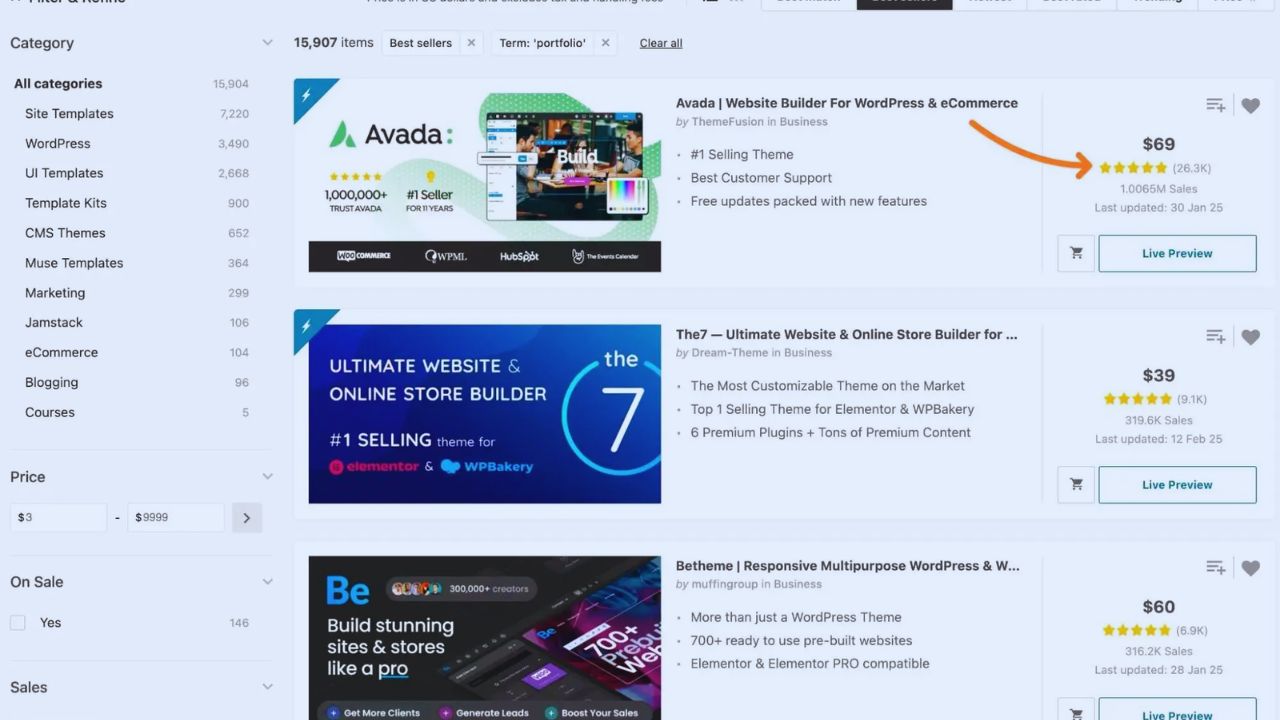
The Design Framework Shapes Everything
Every template includes its own layout system, styling rules, scripts, and responsive behavior. Some are intentionally lightweight, while others load dozens of features before you even publish your first page.
If the base is inefficient, adding plugins, videos, or tracking tools usually makes things worse. Choosing a cleaner structure from the beginning often saves hours of optimization later.
Code Quality Has a Bigger Impact Than Appearance
A modern-looking homepage doesn’t necessarily mean the template performs well. Behind attractive visuals, there may be unnecessary code affecting page speed and browser performance.
Extra Features Usually Mean Extra Requests
Many multipurpose templates include sliders, animation libraries, icon packs, custom widgets, and several JavaScript files that every visitor downloads whether they’re used or not.
These additional resources increase page weight and delay rendering, particularly on slower mobile connections.
A cleaner template with fewer built-in effects often delivers a better experience than one packed with features most websites never need.
Mobile Performance Is No Longer Optional
Most visitors now arrive from smartphones, making mobile optimization just as important as desktop design. A responsive template should adapt naturally without creating layout problems or unnecessary delays.
Responsive Doesn’t Always Mean Fast
Some templates technically resize for smaller screens but still load oversized images, desktop animations, or large background videos. The page may fit the screen while remaining frustratingly slow.
Testing the mobile demo on your own phone provides a clearer picture than relying on promotional screenshots or marketing claims.
Images and Media Can Slow Even Good Templates
Even well-coded templates lose their advantage if they depend on oversized media files. Performance comes from balancing attractive visuals with efficient loading.
Heavy Visuals Require Better Planning
Templates that support lazy loading, responsive image sizes, and modern formats like WebP generally perform better.
By comparison, pages built around autoplay videos or multiple full-screen banners usually require far more data before visitors see useful content. The goal isn’t removing visuals but using them where they actually improve the page.
Some Templates Are Built Specifically for Speed
Not every template follows the same philosophy. Some prioritize visual effects, while others focus almost entirely on clean code and efficient loading.
A Few Well-Known Examples
GeneratePress is frequently recommended because it starts with a lightweight framework that users expand only when needed.
Astra follows a similar approach by letting users disable unnecessary features instead of loading everything by default.
Shopify Dawn is another example, offering online stores a simple structure that emphasizes fast product pages instead of decorative effects. These templates still benefit from proper optimization, but they provide a stronger starting point.
Testing Before You Choose Saves Time Later
Many website owners install a template based solely on screenshots or popularity. Spending a few minutes testing the demo can reveal issues that aren’t immediately obvious.
Look Beyond the Homepage
Browse several pages instead of only the landing page. Check article layouts, product pages, navigation menus, and contact forms.
Open the demo on both desktop and mobile devices, then run it through PageSpeed Insights or GTmetrix. If the demo already struggles before adding your own content, performance will likely decline further after launch.
Use this quick checklist before deciding:
- Mobile preview
- Recent updates
- Clean navigation
- Speed test
Plugins and Templates Work Together
A fast template cannot compensate for excessive plugins, just as good hosting cannot fully rescue a poorly built design. Website performance depends on combined choices, not a single factor.
Also Read: How Website Templates Shape User Experience: What Designers and Site Owners Should Know
Keep the Setup Simple
Many users install plugins for galleries, sliders, forms, animations, and social feeds without realizing several perform similar tasks.
Each addition increases requests and processing time. Starting with a template that already includes only the features you genuinely need reduces unnecessary complexity and keeps maintenance manageable.
Updates Matter More Than Many Realize
Performance isn’t fixed forever. Browsers evolve, security standards improve, and search engines introduce new recommendations. Templates receiving regular updates are generally easier to maintain over several years.
Active Development Protects Your Site
Before installing any template, review its update history and documentation. Developers who consistently improve compatibility, accessibility, and performance are more likely to fix issues before they affect users.
An abandoned template may still function today, but outdated code can eventually create compatibility problems with browsers, plugins, or newer platform versions.
Performance Also Affects SEO and User Trust
Search engines evaluate speed because visitors expect websites to respond quickly. A slow page not only ranks less effectively but also creates a weaker first impression.
Visitors Notice Delays Immediately
Research consistently shows that users begin leaving pages after only a few seconds of waiting.
They rarely know whether the delay comes from hosting, images, or the template itself—they simply associate the experience with the website.
Faster templates encourage longer visits, smoother navigation, and more opportunities for readers or customers to engage with your content.
Choose Balance Instead of Chasing Features
The fastest template isn’t necessarily the simplest, and the most feature-rich isn’t automatically the best. The goal is finding a design that supports your content without introducing unnecessary complexity.
Match the Template to Your Website
A personal blog usually benefits from a lightweight article-focused layout, while an online store requires optimized product pages and checkout performance.
Selecting a template designed for your site’s purpose often produces better results than installing a generic multipurpose theme filled with features you’ll never use.
Building around your actual goals makes future maintenance easier and helps the site remain fast as it grows.
Conclusion
Website templates influence performance far more than many people expect. They affect code quality, mobile responsiveness, media handling, and the overall experience visitors have from the moment the page begins loading.
Before choosing one, test the demo carefully, review its update history, and consider whether its features genuinely support your project.
A well-built template gives your website a stronger technical foundation while leaving room to improve performance as your content and audience continue to grow.