
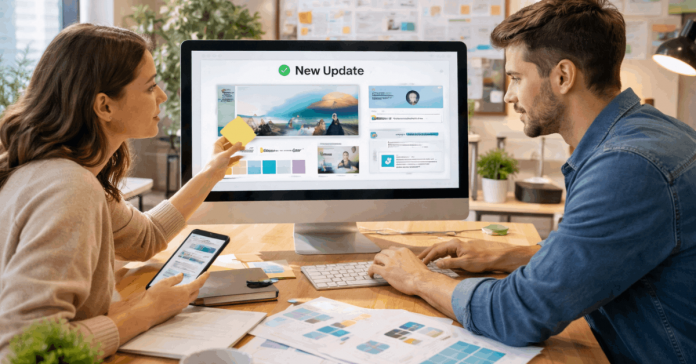
Templates are essential in building consistent, functional websites. Learning how to keep templates updated ensures your project stays modern, secure, and reliable.
Many overlook the importance of updating templates regularly. This article guides you through proven methods, tools, and habits to maintain your templates efficiently.
Why Template Updates Are Critical?
Templates are more than just visual layouts. Regular updates to templates prevent security risks and layout issues that arise from outdated code.
Ignoring updates can lead to broken features or poor display across browsers. Updated templates support new design trends, accessibility standards, and fast-loading performance.
Signs Your Template Needs Updating
Recognizing early signals helps you act before problems affect users. Pay attention to broken layout sections or styles not displaying correctly. If your CMS notifies you of updates, it’s a clear signal.
Another clue is slow load times caused by inefficient or old code. When browser compatibility issues arise, it’s usually tied to outdated template scripts.

Manual Vs. Automatic Updates
Not every update method fits all projects. Manual updates give you more control, especially when you use customizations or scripts. However, it takes time and consistent monitoring.
Automatic updates reduce maintenance effort but can break elements if not tested. Use a backup system to recover from failed updates quickly.
Recommended Maintenance Tools
Keeping templates updated requires the right tools. Content management systems like WordPress or Webflow often include built-in version tracking.
Git allows developers to track template changes and collaborate safely. Website builders like Wix notify users of template improvements automatically. Code editors and FTP clients also help monitor file-level changes over time.
How to Set a Review Schedule
Staying on track requires a plan. Set a monthly or quarterly template check to prevent long periods without updates. Log each review, so your team stays aligned.
Monitor version release notes from template providers. If you use many templates, use a spreadsheet to track update frequency, version numbers, and custom edits.
Create a Testing Environment
Test before applying updates to your live site. A staging environment mimics your site without affecting real users. Use it to test new template versions, plugins, and changes.
Staging ensures that design, function, and speed stay consistent. This step prevents unexpected errors during deployment.
Using Version Control for Templates
Version control makes managing templates efficient and safe. Git allows you to roll back if a new version introduces bugs. Repositories store the full history of edits, ideal for custom templates or teams.
Use branches to test new versions without touching production files. Commit messages help you track changes and update history.
Best Practices for Update Management
Consistent habits protect your website from template-related issues. Here are five must-follow rules:
- Always back up your site before updating any template.
- Avoid editing core template files directly.
- Keep track of custom edits using comments or separate files.
- Use child themes if available to preserve changes.
- Subscribe to your template developer’s release alerts.
CMS Platforms and Their Template Update Features
Different platforms offer various ways to manage templates. Most no-code builders have options that reduce manual intervention. Below are three platform-specific approaches:
WordPress
WordPress themes often show update notifications in the dashboard. You can use plugins like WP Rollback to revert theme versions.
Use child themes to avoid losing changes. Keep all related plugins updated to maintain compatibility.
Webflow
Webflow templates update on the backend with minimal effort. You can clone new versions and compare them with your current layout.
Always duplicate your project before applying major changes. Webflow also offers a visual editor for testing components.
Wix
Wix updates templates automatically within its builder interface. The platform sends alerts when major design or feature updates roll out.
You can customize templates without affecting the update cycle. Check the Template History tab for reversion options.
Tracking Customizations Made to Templates
Custom edits are often overwritten when you apply updates. Always record the exact changes you made to the original template. Use a shared doc or versioning system to log color, layout, or script edits.
Consider exporting custom styles into a separate CSS or JS file. That way, your updates won’t delete valuable work.

Common Mistakes to Avoid
Skipping key steps in the update process leads to trouble. Avoid these typical mistakes:
- Updating on a live site without backups or testing.
- Ignoring update changelogs that may affect features.
- Failing to track customizations made to original templates.
- Relying solely on auto-updates without verification.
- Using outdated templates with no developer support.
Real-World Update Scenario
Let’s say you’re managing a blog built on WordPress. One day, parts of your layout stop working in Chrome. You log in and see that your theme hasn’t been updated in a year.
After reviewing the changelog, you realize a patch fixed the browser issue weeks ago. If you’d scheduled monthly checks, you could’ve avoided the problem entirely.
Expert Tips for Long-Term Template Management
Template upkeep becomes easier when you follow habits that support stability and consistency.
Here are expert-backed techniques to ensure your templates remain reliable and error-free over time:
- Use a template journal to log edits, updates, and known issues for quick reference.
- Join forums or Discord groups focused on your CMS or builder for real-time tips and alerts.
- Subscribe to update notifications from your template’s marketplace or developer.
- Test each update on at least two browsers and two devices to check compatibility.
- Document any update issues and resolutions for future troubleshooting and training.
Long-Term Template Health Strategy
Good template management comes down to process and tools. Here’s a breakdown of what to include:
- Create a template update checklist shared across your team.
- Maintain a change log, even if you’re a solo creator.
- Use Git or other version control software.
- Schedule quarterly reviews and stick to them.
- Audit old templates and remove unsupported ones.
Stay in Control of Your Template’s Future
Understanding how to keep templates updated gives you full control over your website’s look and function. Templates evolve with design trends and software updates.
Your ability to track and apply those updates makes your website sustainable. Start today with a checklist, backup routine, and better update habits.











