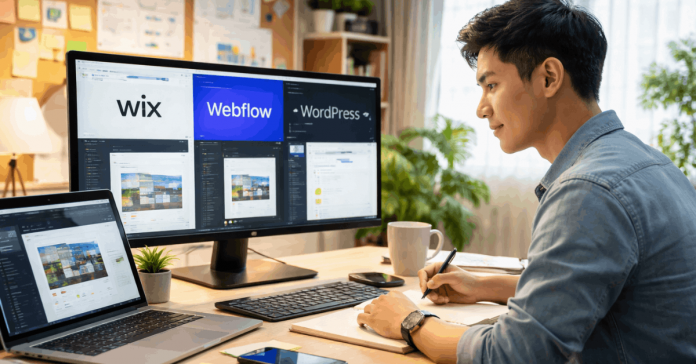
Choosing the right platform for your website starts with knowing how each tool works. Website Builders vs CMS Platforms Explained is a comparison that matters for anyone creating a site in 2026.
Wix, Webflow, and WordPress offer different levels of control, speed, and flexibility. This guide shows you what each one can do—and what to expect before you commit.
What Website Builders and CMS Platforms Actually Are?
Understanding the foundation of these tools helps you avoid poor setup choices. Website builders and CMS platforms serve different types of users and project needs.
Website Builders: Fast, Visual, and Hosted
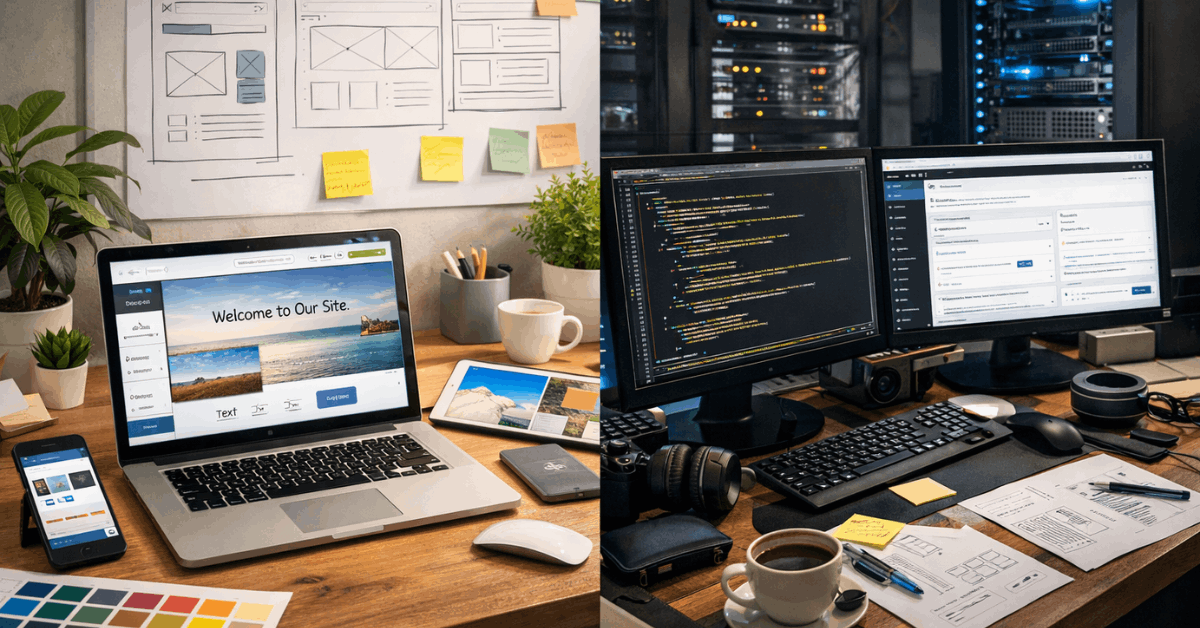
Website builders like Wix and Webflow offer an all-in-one package. You don’t have to install software or manage a server. You get hosting, templates, and drag-and-drop design tools in one place.
This is ideal if you want to publish quickly without technical knowledge. The trade-off is less control over the backend and advanced features. You’re working within a visual system that sets clear limits.
CMS Platforms: Flexible, Open, and Scalable
CMS platforms like WordPress.org give you more control. You host the software yourself, choose your theme, and install plugins for extra features.
This takes more time, but it also opens up full customization options. You can scale easily and manage complex content workflows.
If you’re running a blog or editorial site, a CMS gives you structure. You’re responsible for updates, backups, and security.
Wix: Simple and Fast for Any Beginner
Wix is ideal for users who want a smooth experience without needing to code. It’s best if your priority is fast setup and ease of use.
Wix gives you hundreds of templates, a flexible editor, and built-in apps. You can add features like forms, stores, and bookings without touching code. Everything is hosted for you, including SSL, support, and updates.
However, switching templates later is not allowed, so choose carefully. You’re also limited if you want deep SEO or design customization. For small business sites or portfolios, Wix does the job fast.
Webflow: Visual Control for Design-Minded Users
Webflow blends design freedom with real structure. It’s for users who want modern layouts without relying on templates.
You can design from a blank canvas or customize from templates. Webflow’s layout tools give you precise control over spacing, interactions, and hierarchy. It generates clean HTML and CSS, which helps with performance and SEO.
It includes a CMS feature for dynamic content like blogs and projects. Hosting is built-in, but CMS features depend on your plan. The learning curve is steep, but once learned, it’s powerful.
WordPress.org: Full Customization with Plugin Power
WordPress gives you total control over your site setup and functionality. It’s open-source and used for everything from blogs to business portals.
You install WordPress on your own hosting and build using themes and plugins. Thousands of free and paid options are available, so it scales well. You can change any part of your design, structure, or backend logic.
Plugins like Elementor help turn it into a drag-and-drop builder. Maintenance is up to you—regular backups, security updates, and plugin reviews. For people who want long-term flexibility, it’s the most customizable option.
How Easy Is It to Build?
Your time, skill level, and goals affect how hard or easy it is to build your site. Let’s break it down by builder.
Non-Developers
Wix is the easiest option with almost no learning curve. You choose a template, edit it visually, and publish. Webflow is harder at first but requires no code once you learn the interface.
WordPress needs basic tech knowledge like domain setup and plugin management. Beginners can still use it, but expect a longer learning period.
Developers and Advanced Users
Webflow supports visual development with code-level precision. You can manage class-based styling, layout behavior, and animations.
WordPress supports full-stack development, so you can build themes, plugins, or custom API logic.
Wix is not developer-focused and limits access to code or backend logic. Choose based on how deep you want to go.
Design Flexibility and Template Control
A platform’s design system affects how your site looks and grows. Here’s how each tool approaches layout and visual control.
Wix gives you fixed templates with visual editing. You can drag and drop, but there are limits in layout logic. Once you choose a template, it can’t be swapped without rebuilding.
Webflow lets you design every detail and build responsive layouts from scratch. WordPress depends on your theme or page builder plugin—some offer great flexibility, others don’t. For consistent branding, Webflow leads in precision.
SEO and Speed Performance
Search performance and load speed impact user experience and traffic. Tools that support both help your site grow long-term.
WordPress has the best plugin ecosystem for SEO control. Tools like Yoast SEO help you manage metadata, indexing, and schema. Webflow offers clean code and fast load times, with built-in SEO settings.
Wix has improved its SEO tools, but structural limitations remain. When it comes to performance, Webflow often loads faster due to optimized output. WordPress speed depends on your host, theme, and number of plugins.
Selling Online: eCommerce Setup
You can build a store on any of these platforms, but the experience and flexibility differ. Here’s what each one offers for selling products.
Wix has a native store builder with drag-and-drop tools, digital products, and payments. Webflow also supports eCommerce with a sleek design but limited product management.
WordPress uses WooCommerce, which is robust, flexible, and expandable. Wix is simple to manage, Webflow is elegant but limited, and WordPress handles scale best. Choose based on your product range and required features.
Platform Costs and Long-Term Pricing
Understanding pricing helps you avoid surprises after launch. Each platform follows a different cost structure.
Wix includes everything in its plan: hosting, templates, and support. You pay monthly or annually for access and upgrades.
Webflow separates hosting, CMS, and team features, which can raise costs as you grow. WordPress is free to use but requires paid hosting, plugins, and maintenance.
It’s flexible, but pricing can vary a lot depending on your choices. For fixed budgets, Wix is easiest to manage.
Matching Platforms to Site Goals
Different websites require different levels of complexity. Match your choice to your actual use case.
If you’re launching a personal site, portfolio, or small brand, Wix offers everything you need. If you’re a designer or creative freelancer, Webflow gives you tools that support visual identity.

If you’re planning to scale content, sell products, or build custom features, WordPress wins on depth. Always choose based on your own workflow, not trends. Speed, control, and budget should drive your decision.
Final Thoughts: Picking the Right Platform for the Right Job
It’s not about the “best” tool—it’s about the right one for your current project. Website Builders vs CMS Platforms Explained highlights that ease of use, flexibility, and control all come with trade-offs.
Wix works when speed and simplicity matter most. WordPress wins when long-term ownership and scale are your priorities, while Webflow delivers powerful visuals without full-on development.