
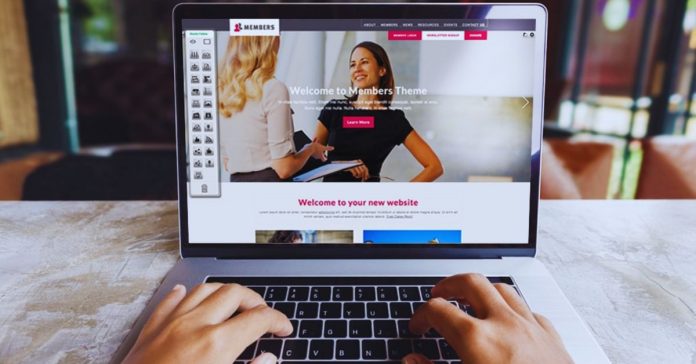
Small projects do not always need a large website, custom code, or a long development process. Sometimes you only need a clean page, a few useful sections, and a way for people to contact you, sign up, or understand your offer.
The best website builders for small projects are the ones that keep setup simple without making the finished site look unfinished.
This guide explains which builders fit smaller goals, what features are actually worth checking, and where lightweight platforms may fall short.

What Counts as a Small Website Project?
A small project usually has a specific purpose rather than a large content plan. It might be a freelancer portfolio, a one-page event site, a landing page for an ad campaign, a link-in-bio page, or a simple business introduction.
These websites often need only a few sections, such as services, contact details, images, pricing notes, or a short form.
If the site does not need user accounts, complex filters, large product catalogs, or regular publishing, a lighter builder can be enough.
What a Small Project Builder Should Do Well
A good small-scale builder should help you publish quickly while still giving you basic control over the design.
Look for mobile-friendly templates, easy text editing, simple forms, built-in hosting, SSL security, and clear pricing. You should also check whether the builder lets you connect a custom domain if the site will be public or business-facing.
Avoid platforms that push advanced enterprise tools if your real need is just a focused page that visitors can understand in seconds.
When a Simple Builder Makes More Sense Than a Custom Site
A custom site may be useful for large projects, but it can be excessive for a temporary page or early idea.
If you are testing a service, promoting a small event, or creating a personal profile, speed and clarity may matter more than full technical control.
A website builder lets you launch something usable, review how people respond, and improve it later. This is especially helpful when you are not ready to spend heavily on design or development.
Website Builders Worth Considering
Different builders suit different types of small projects.
Wix, Carrd, Strikingly, Hostinger Website Builder, and Webflow are common options because each one handles speed, design, and simplicity differently. Some are better for beginners, while others give more layout control.
The right choice depends on whether you need a one-page site, a flexible small business page, a polished portfolio, or a design-focused project that may grow over time.
Wix for Flexible Small Websites
Wix is useful when you want a beginner-friendly editor with many templates and room to adjust the layout.
It can work for portfolios, service pages, event sites, and small business introductions. The drag-and-drop editor gives freedom, though that freedom can also lead to clutter if you keep adding sections.
Before choosing Wix, check the plan limits, whether you need to remove Wix branding, and how the template looks on mobile after your own content is added.
Carrd for One-Page Projects
Carrd is one of the strongest choices for single-page sites. It works well for link-in-bio pages, personal profiles, simple landing pages, waitlists, and small campaign pages.
The editor is lightweight, and the pricing is usually easier to manage than larger platforms.
Carrd is not meant for complex websites, but that is also its advantage: it keeps you focused on the message, the form, and the action you want visitors to take.
Also Read: No-Code Tools for Small Online Businesses
Strikingly for Quick Mobile-Friendly Pages
Strikingly fits users who want a guided setup and a clean one-page structure. It can work for resumes, event announcements, small business intros, and simple online stores with limited products.
The templates are mobile-friendly and easy for beginners to manage. Customization is more limited than Wix or Webflow, so it suits people who prefer speed over detailed design control.
Hostinger Website Builder for Budget-Conscious Users
Hostinger Website Builder, previously linked with Zyro, may suit users who want low-cost plans with hosting included.
It offers simple templates, AI-assisted tools, and enough editing control for small business pages, portfolios, and basic service websites.
It can be useful when you want to avoid separate hosting setup. Before committing, review renewal pricing, storage, domain terms, and whether the available templates fit your project style.
Webflow for Design-Focused Small Projects
Webflow is better for users who want more visual control and are willing to learn a slightly more advanced interface.
Designers, agencies, and creative freelancers may like it because it allows detailed layouts without traditional coding.
It can also support CMS features if your small project grows into case studies, articles, or repeatable content. For a very simple page, though, Webflow may feel heavier than necessary.
How to Match the Builder to Your Goal
Instead of choosing the most popular platform, match the builder to the actual job of the site. A freelancer who only needs a profile and contact form may be better served by Carrd or Strikingly.
A local service business that needs several pages, maps, testimonials, and booking links may find Wix or Hostinger more practical.
A designer who wants a polished, custom-looking portfolio may prefer Webflow. The best choice is the one that supports the project without adding extra work.
Quick Fit Guide
Use this short guide if you are narrowing options quickly. It keeps the decision based on real use, not just template previews.
- Carrd: one-page profiles, waitlists, and link pages
- Wix: flexible small business or service sites
- Strikingly: quick mobile-first pages
- Webflow: design-focused portfolios and creative work
Features That Matter Most for Small Projects
Small projects do not need every possible feature, but they do need the right basics. Mobile responsiveness is essential because many visitors will open the site from a phone.
A simple form matters if you want inquiries, bookings, or sign-ups. Built-in hosting and SSL reduce technical setup.
If the site will be public for more than a short test, a custom domain, basic analytics, and easy editing will also make the project feel more credible.
What to Check Before Paying
Free plans can help you test a builder, but they often include platform branding, subdomains, storage limits, or fewer features.
Before upgrading, check whether the plan includes a custom domain connection, form submissions, analytics, enough pages, and support.
Also review renewal pricing because the first-year cost may not show the full long-term price. For business use, paying for a cleaner domain and no platform ads usually looks more trustworthy.
Common Mistakes With Small Website Builders
The biggest mistake is treating a small site like a large one. Adding too many sections, animations, pop-ups, widgets, and colors can make a simple project feel messy.
Another mistake is choosing a template based only on demo images, then discovering that your real text does not fit well.
Test the layout with your own headline, contact details, photos, and offer before publishing. A small site works best when every section has a clear reason to exist.
Maintenance Still Matters
Even a small website needs occasional checking after it goes live. Review forms, mobile layout, links, pricing, business hours, and page speed from time to time.
If you use the site for leads, check whether submissions are reaching your inbox or CRM properly.
A one-page site can lose trust quickly if the contact form breaks, the event date passes, or old pricing remains visible.
Conclusion
The best website builders for small projects are not always the most powerful platforms. They are the ones that help you create a clear, useful site without making the setup harder than the project requires.
Before choosing, think about the site’s purpose, how long it will stay online, whether you need a custom domain, and how much editing control you actually want.
Start with the simplest tool that supports your goal, then upgrade only when the project truly needs more features. A small website can still feel professional when it is focused, current, and easy for visitors to use.











