

Creating a unique, impactful online identity isn’t about reinventing the wheel each time you launch a website. In fact, most brands rely on web templates for efficiency—but here’s the catch: making them truly yours is where the magic happens. Learning how to match templates to brand style is essential if your website needs to feel consistent with your business or personal identity.
Who is this guide for? Mainly, it’s for creators, small-business owners, and anyone building digital projects—those who care about making a strong first impression online.
If you’ve ever scrolled through template libraries and wondered which really “fits” your brand, or how to adjust what’s almost right, you’ll find this article helpful. We’ll walk through practical steps, real-world examples, and a few caveats I wish someone had told me earlier.
Why Getting Brand-Template Alignment Matters
Ever landed on a site that just felt off? Perhaps the logo said “luxury” but the fonts screamed “quirky startup”. It’s a common mistake, and one that can quietly chip away at trust or even conversions.
Branding consistency makes your site recognizable and reliable. Plus, if you’re monetizing your project, visual trust can directly influence AdSense clicks and user engagement.
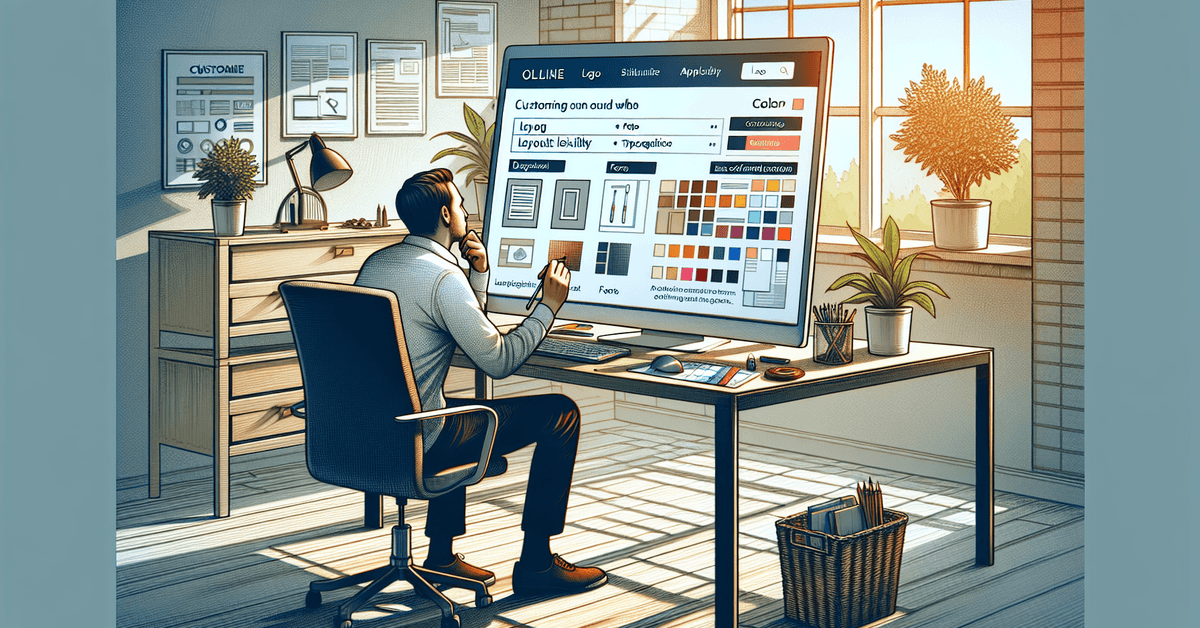
Assessing Your Brand Style Before Choosing a Template
Before you even browse templates, you need a sense of your brand’s personality. Start by asking yourself: What’s our voice—formal or friendly? What colors reflect our ethos?
Even if you don’t have a style guide, sketch out a few adjectives you associate with your project (like “playful”, “tech-focused”, “earthy”).
Key Elements to Define
- Logo and Color Scheme: Are your colors bold or subdued? Do you lean towards gradients or solid shades?
- Typography: Sleek sans-serifs versus character-rich serifs—or maybe a combination?
- Imagery: Do you use icons, illustrations, or photography?
- Tone: Cheerful, professional, bold, or understated?
Even a quick brainstorm helps you search templates with a critical eye, rather than getting lost in endless thumbnails.
Choosing the Right Template Platform or Software
Not every website builder or template marketplace is created equal. Some cater to designers wanting full customization (like Webflow), while others, such as Wix or Squarespace, focus on ease and all-in-one solutions. Your choice will partly depend on your technical comfort—there’s no shame in aiming for simple if that means you keep control.
Popular Platforms for Web Templates
- ThemeForest: Massive variety, but sometimes overwhelming.
- Templates.net: Curated selections for both websites and blogs.
- WordPress Themes Repository: Reliable, especially if you’re on WordPress.
- Webflow Templates: Flexible, highly customizable for advanced users.
- Blogger: Good for straightforward blog projects.
For in-depth comparisons of platforms, check our guide: Best Website Builders for Your Next Project .
How to Evaluate Templates for Brand Fit
This next step is tricky. Perhaps you spot a template that’s close, but not perfect. I’ve been there—”if only it used my color palette”—but don’t settle just yet. Let’s break down essential criteria to analyze before you commit.
Checklist for Template Selection
- Layout: Is the structure adaptable to your content volume and feature needs? Will it accommodate blog, portfolio, or ecommerce sections?
- Typography: Can you swap fonts easily? Some templates lock you in, which could be a deal-breaker.
- Color Scheme: Does the template make it easy to swap in your brand colors without breaking readability?
- Imagery Placement: Are there enough spots for photos or visuals that match your brand’s look?
- Responsiveness: Looks good on mobile and desktop?
- Speed & SEO: Is it lightweight, with good loading times and search engine-friendly markup?
Sometimes, you’ll find something that’s “almost right.” Don’t rule it out—little tweaks often go a long way.
Adapting a Template to Your Brand Style
This is where your site starts feeling like your own. Most platforms today offer a visual customizer, but adjusting code (HTML/CSS) can open more options. If you’re not a coder—that’s fine—focus on what the platform lets you change out-of-the-box.
Step-by-Step Customization Process
- Upload Your Logo: Top left corner is standard, but some brands break convention for effect (honestly, sometimes it works).
- Update Fonts: Choose typefaces that echo your style. Tools like Google Fonts integrate seamlessly with most builders.
- Apply Custom Colors: Input your hex codes or use platform color pickers. Consistency here is crucial.
- Swap Images: Replace demo assets with your brand’s imagery—avoid stock overload unless it genuinely fits.
- Adjust Layout: Minimize distractions, rearrange buttons, or spotlight your CTA. Small tweaks often improve flow.
- Insert Content: Write copy that reflects your voice—direct, persuasive, or perhaps a touch playful? Trust your gut here.
- Preview on Mobile: Double-check changes on different screen sizes. What looks right on desktop might not on your phone.
Common Challenges & Subtle “Gotchas”
Even after adjustments, something might feel off. Maybe there’s a mismatch between subtle design cues—a playful font with a very corporate color, for example. It can be tempting to over-edit, but sometimes restraint is best. If you find yourself undecided, consider getting feedback or taking a break; fresh eyes catch alignment issues easily.
Potential Issues and Fixes
- Conflicting Visuals: Avoid mixing too many styles (e.g., minimalist graphics with ornate fonts).
- Accessibility: Make sure colors contrast sufficiently for readability. Tools like WebAIM’s Contrast Checker help here.
- Technical Limitations: Some platforms limit what you can adjust—read the fine print before committing.
- Performance: Heavy themes can slow your site, impacting SEO and AdSense revenue.
Monetization and SEO Considerations
If your project relies on AdSense , remember that clean, non-intrusive design helps ads perform better. Avoid busy layouts; prioritize above-the-fold visibility, and let whitespace work for you. Also, search engines prefer semantic code. Pick templates with SEO-optimized markup and customizable headings.
| Template Feature | SEO Benefit | User Benefit |
|---|---|---|
| Mobile Responsiveness | Higher Google ranking | Accessible on all devices |
| Fast Loading Speed | Lower bounce rates | Smoother experience |
| Custom Headings | Better keyword targeting | Easier to scan sections |
| Ad Placement Options | Improved monetization | Less distraction |
To deepen your understanding, see How to Optimize Your Website for AdSense Revenue .
Final Checklist Before Going Live
- Brand colors, fonts, and visuals properly integrated?
- Clean logo placement?
- Content written in a consistent voice?
- Template loads quickly and displays well on mobile?
- Does the design feel uniquely yours? If not, keep tweaking.
Consider adding explanatory screenshots, before-and-after visuals, or showcasing your style guide in action. Readers respond to real-world visuals—it’s worth the small effort.
Conclusion: Take Control of Your Online Identity
Matching templates to your brand style balances objectivity with your gut instinct. You won’t always get it perfect on the first try—and that’s alright. With every site you build, you’ll sharpen your eye for details that matter. Honest opinion? Just start. Each tweak brings your online presence closer to your unique vision.
Ready to craft a standout site? Explore our platform reviews, experiment with templates, and don’t be afraid to make bold custom choices. Browse our favorite website templates here and begin building your brand today.











